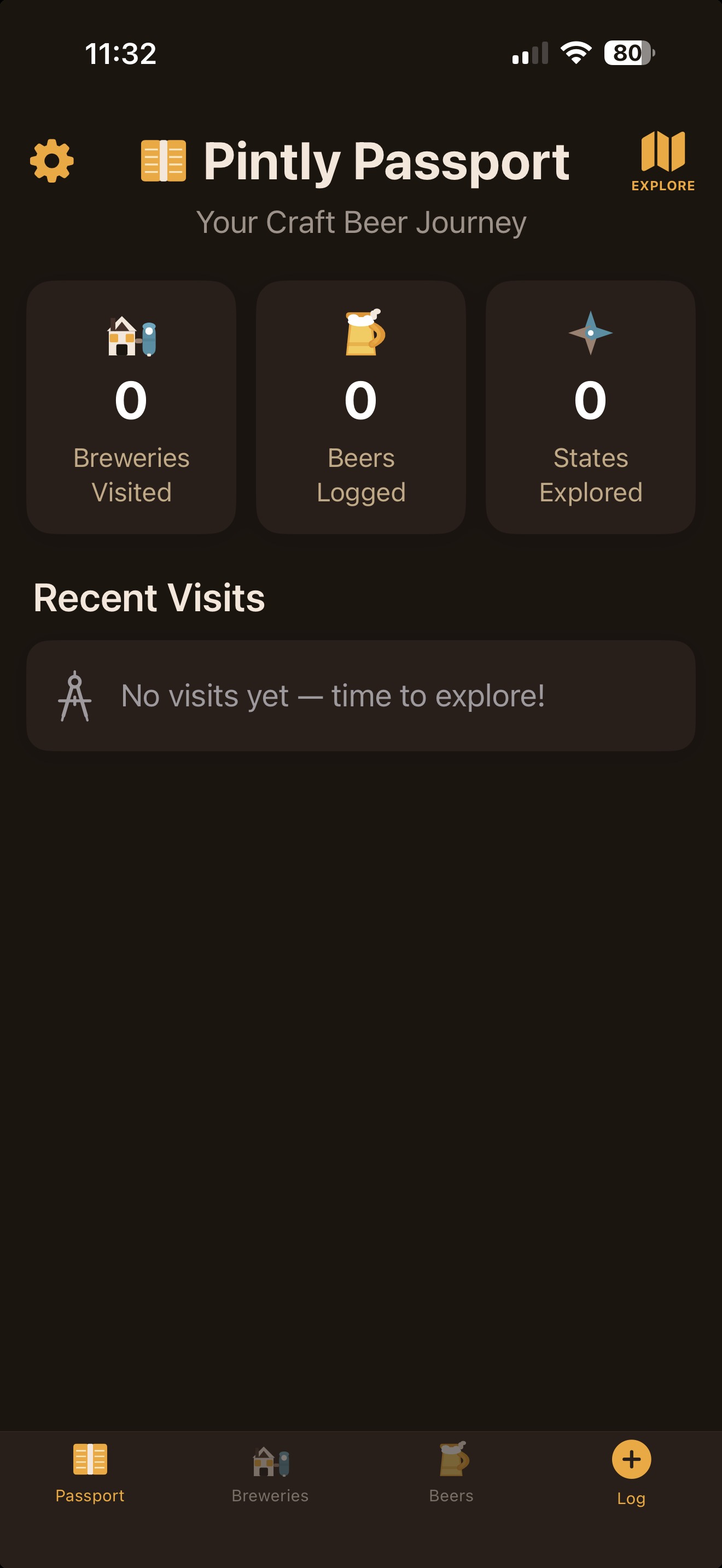
Stamp Collection
Each brewery you visit earns a stamp. Visited cards show their stamp; unvisited ones are waiting for you.
Pintly Passport is your personal passport for craft beer — stamp every brewery you visit, log every pint you try, and build a beautiful journey you actually want to keep.
Every brewery you visit earns a stamp in your personal craft-beer passport. Your home dashboard shows your stats at a glance — breweries visited, beers logged, states and provinces explored, and recent visits. It's your craft-beer journey, beautifully organized.
Each brewery you visit earns a stamp. Visited cards show their stamp; unvisited ones are waiting for you.
Every visit records the date, your notes, which beers you had, and as many photos as you want.
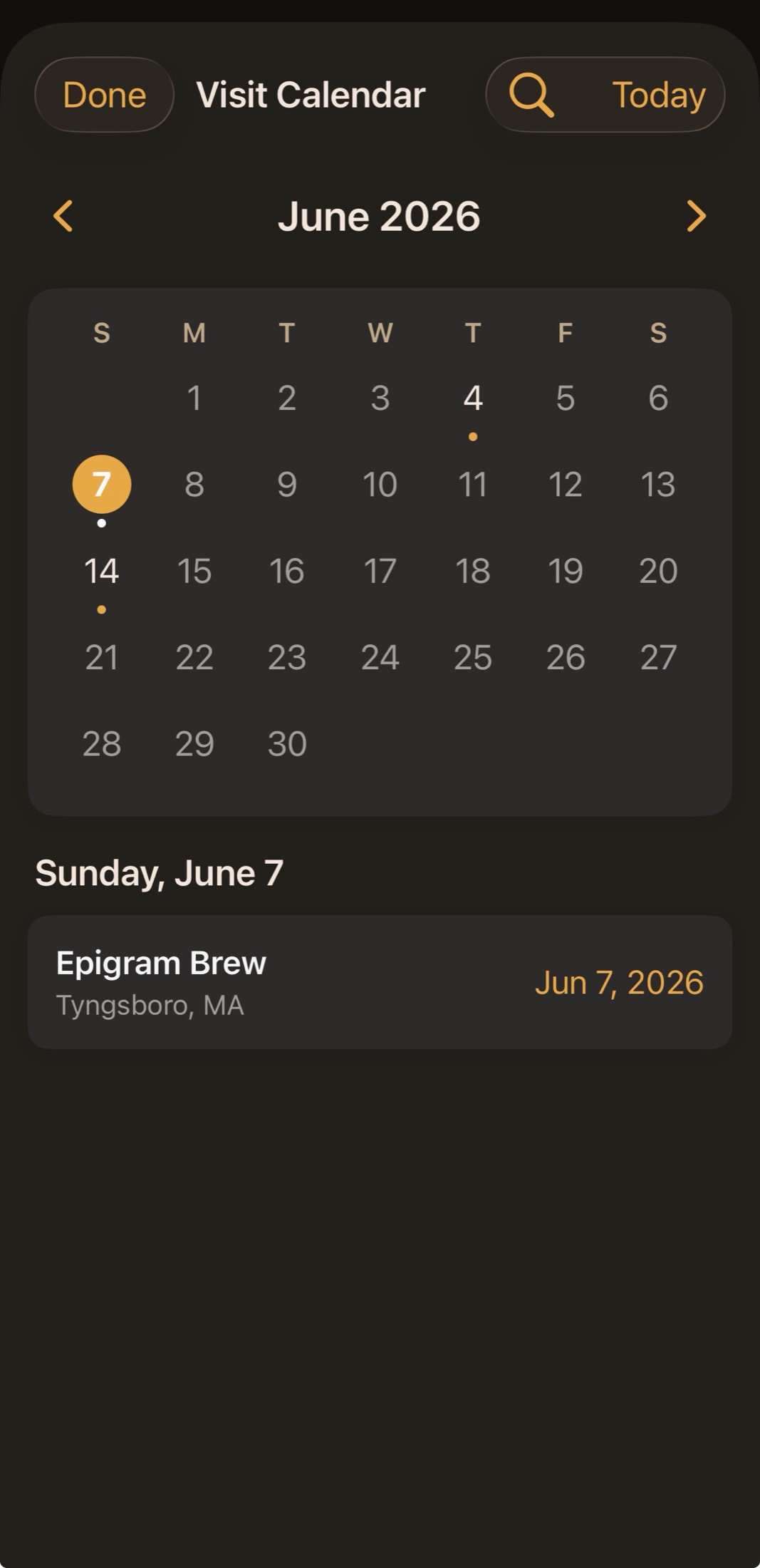
A month-grid calendar of every visit, with amber dots on the days you were out. Tap a day to see where you went — your whole beer year at a glance.
See everywhere your passport has taken you, grouped with counts — US states and Canadian provinces alike. How far have you roamed?
Beer festivals don't fit the usual "drive to one brewery, log one visit" flow — you taste dozens of pours from places you may never have been. Brewfest is a mode built for exactly that: log every pour, then keep the ones worth remembering.
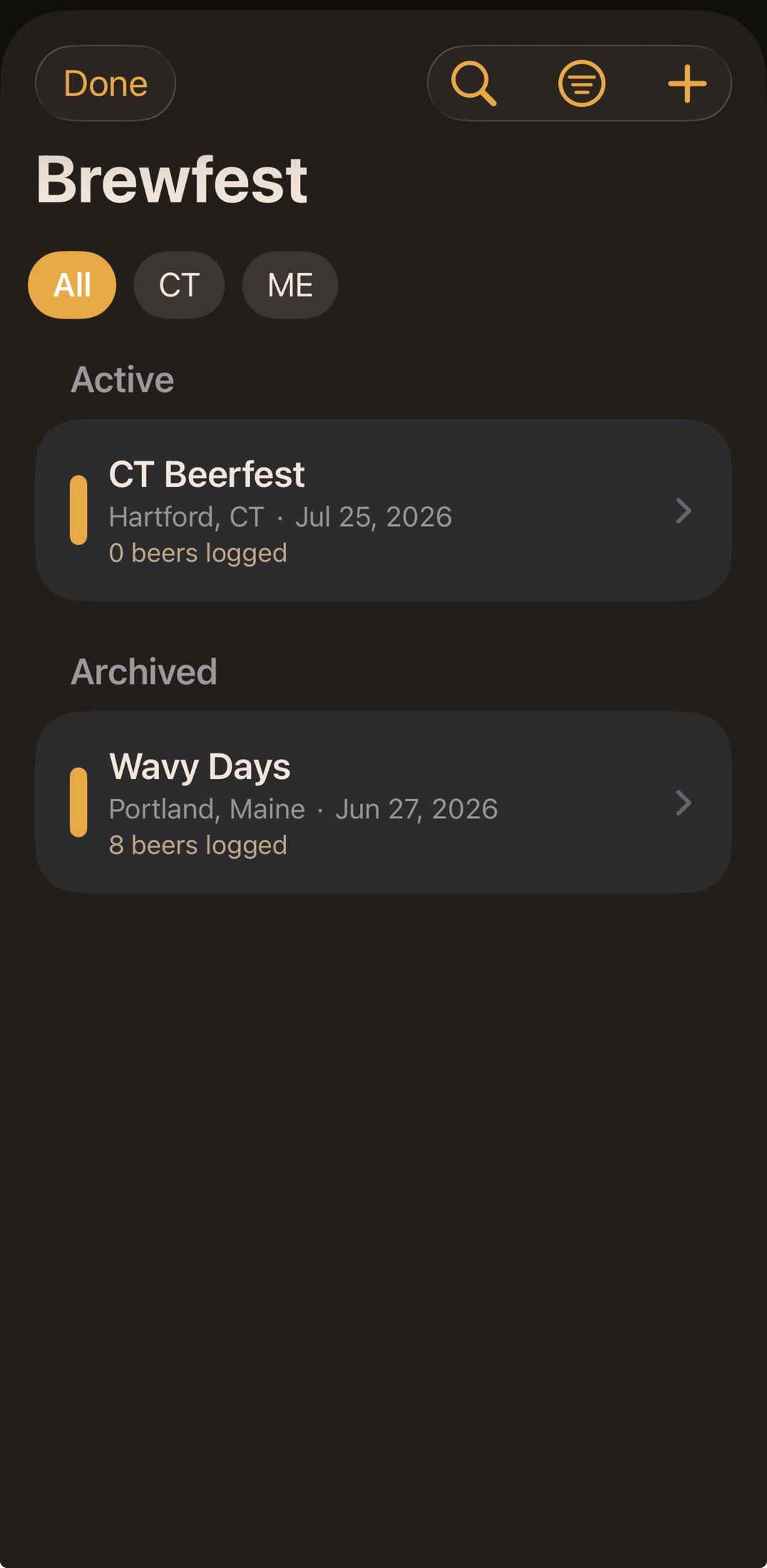
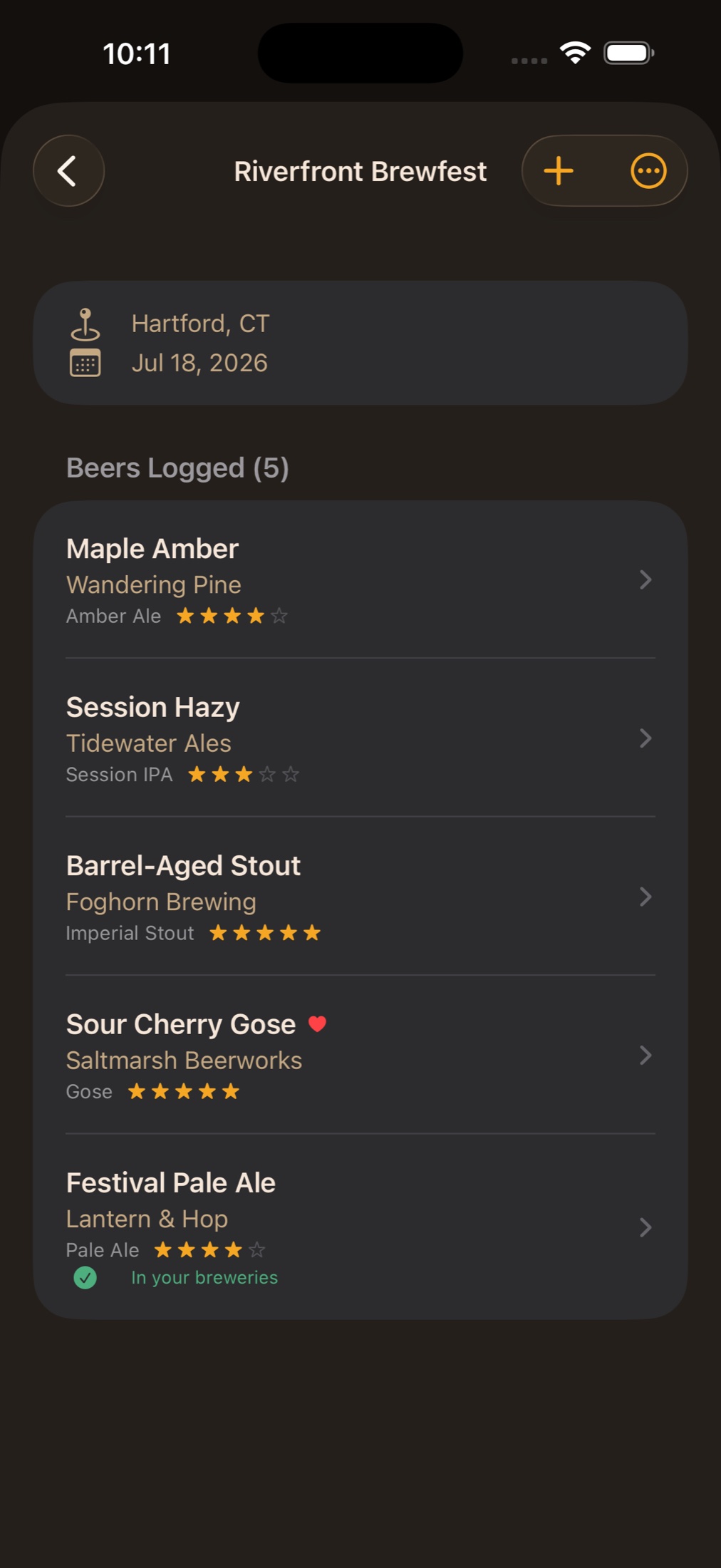
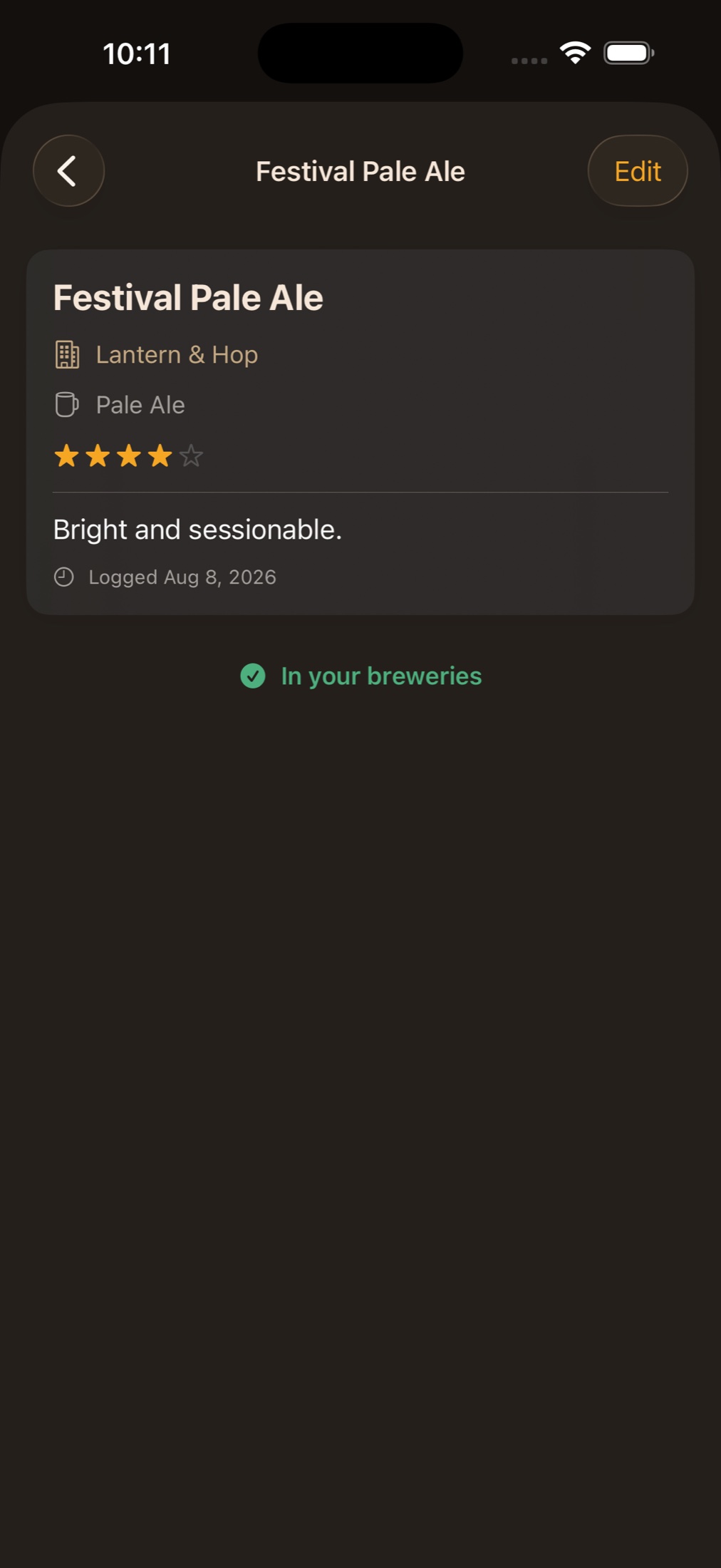
Create a festival with its name, place, and date — then log beers as you go: brewery, beer, style, rating, notes, favorites, and photos, all in one quick form.
Browse your festival as a clean running list of every pour — so the hazy IPA at booth 12 doesn't get lost somewhere around booth 30.
Loved one? "Add to My Breweries" turns any festival tasting into a real brewery and beer in your collection — with an optional one-tap location and logo lookup.
Festivals are archived, never deleted. Last summer's fest stays right where you left it, ready to revisit any time.
Search, save, and explore breweries from your couch or on the road. Whether it's a neighborhood spot or a hidden gem a few hours up the highway — if it pours craft beer, we'll help you find it.
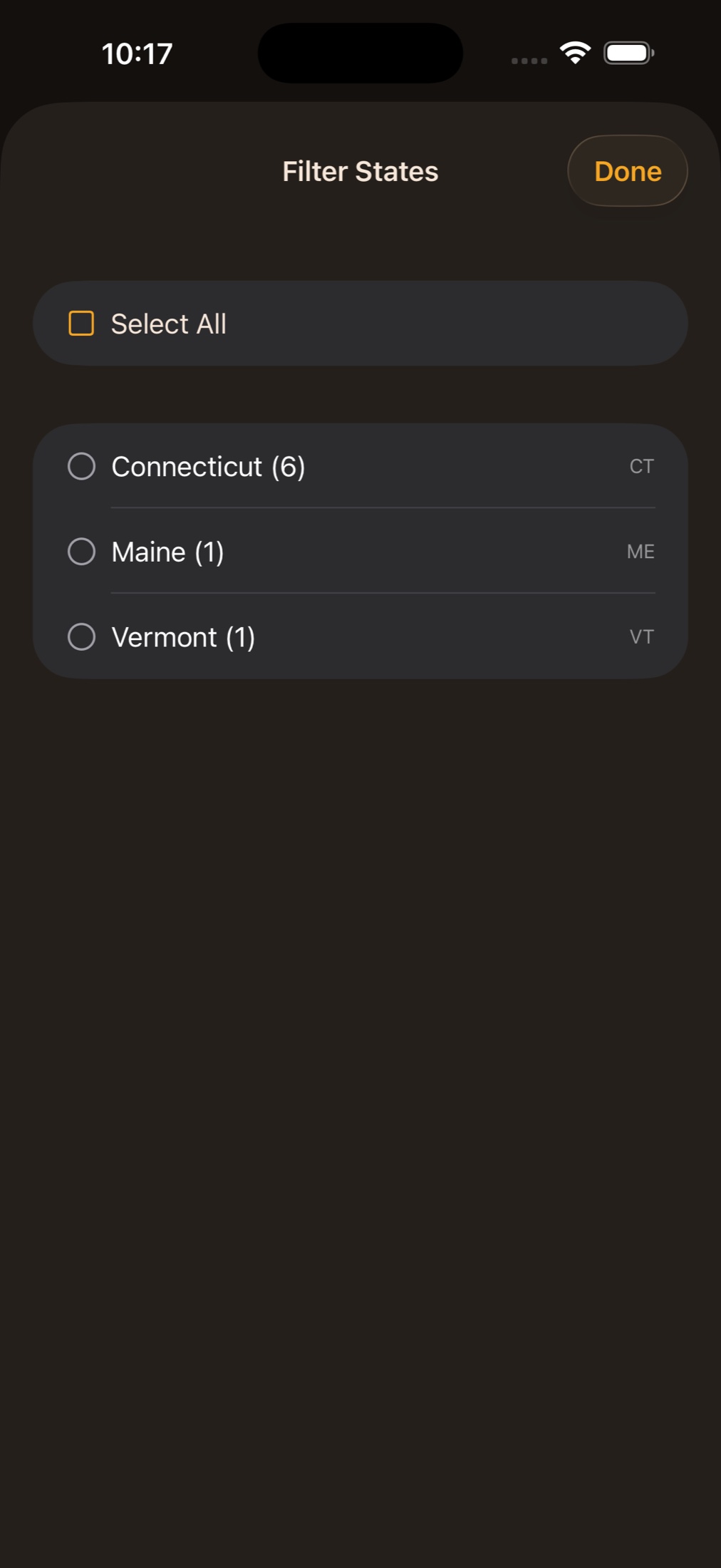
Search, toggle visited-only, and filter by as many states or provinces as you like at once — each one showing how many breweries you have there. Your entire brewery universe in one scrollable list.
Type a name and we'll find it — the big taprooms, the under-the-radar gems, and the brewpubs that usually get filed away as restaurants. Add it in one tap with the address already filled in, and the same place won't turn up twice, even when it's listed under two different names.
Every brewery shows up with its real logo, automatically. Or tap and upload your own — your passport, your style.
See your visits, beers you've had there, call them, or browse their website right inside the app — no jumping out to Safari. Tap the address to see where it sits and what's around it, or tap Directions for the route there, drive time alongside and room to add a stop.
Bookmark breweries you want to visit. Your wishlist rides on your home screen, and the bookmark clears itself the first time you log a stop there.
Every brewery row shows how far away it is and roughly how long it'll take to get there — real Apple Maps drive times, not just an "as the crow flies" guess. Miles or kilometres, matching wherever you happen to be.
Today's hours, the full week, and a green Open or red Closed right on the brewery. Hours missing, or a taproom that changed them last week? Type your own in seconds — set one day, copy it across the rest, and give holiday hours an end date so they retire on their own. One tap hands the brewery back to its usual sources. And if a place has shut its doors for good, we'll say so.
See what the crowd thinks of a brewery right beside your own rating — a quick second opinion before you add a new stop to the trip.
Provinces work everywhere states do — saved with your breweries, shown in addresses, filtered on your list, and searchable. Canadian breweries turn up in search, and postal codes keep their proper shape.
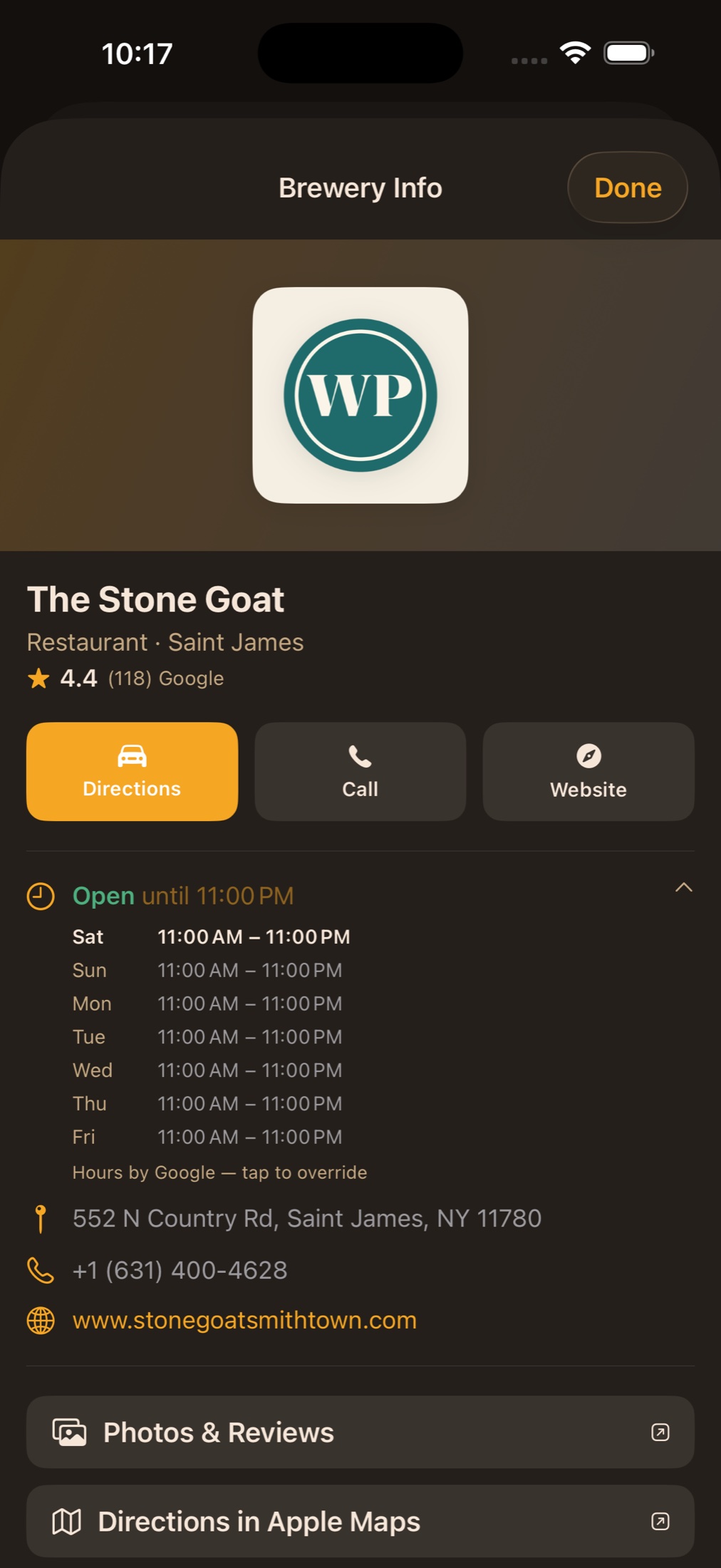
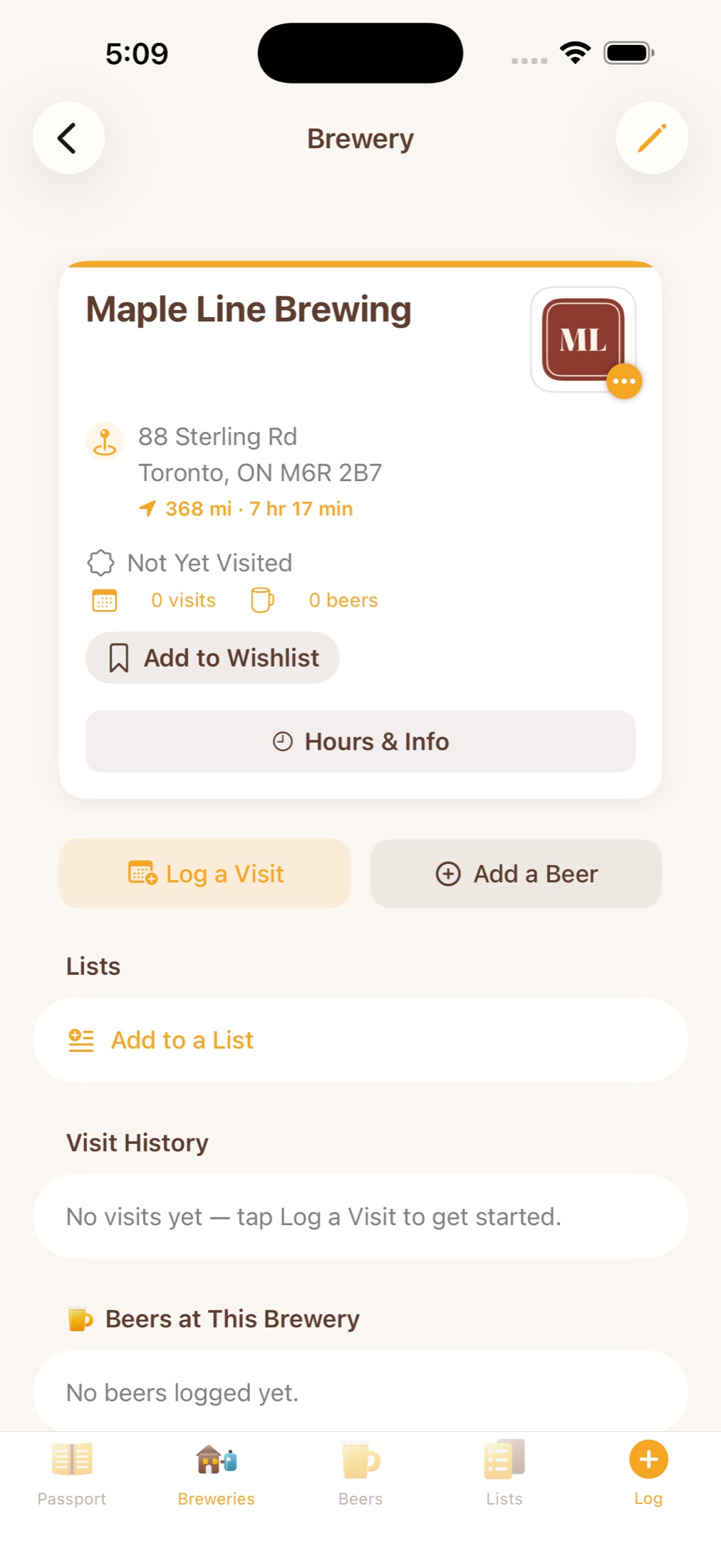
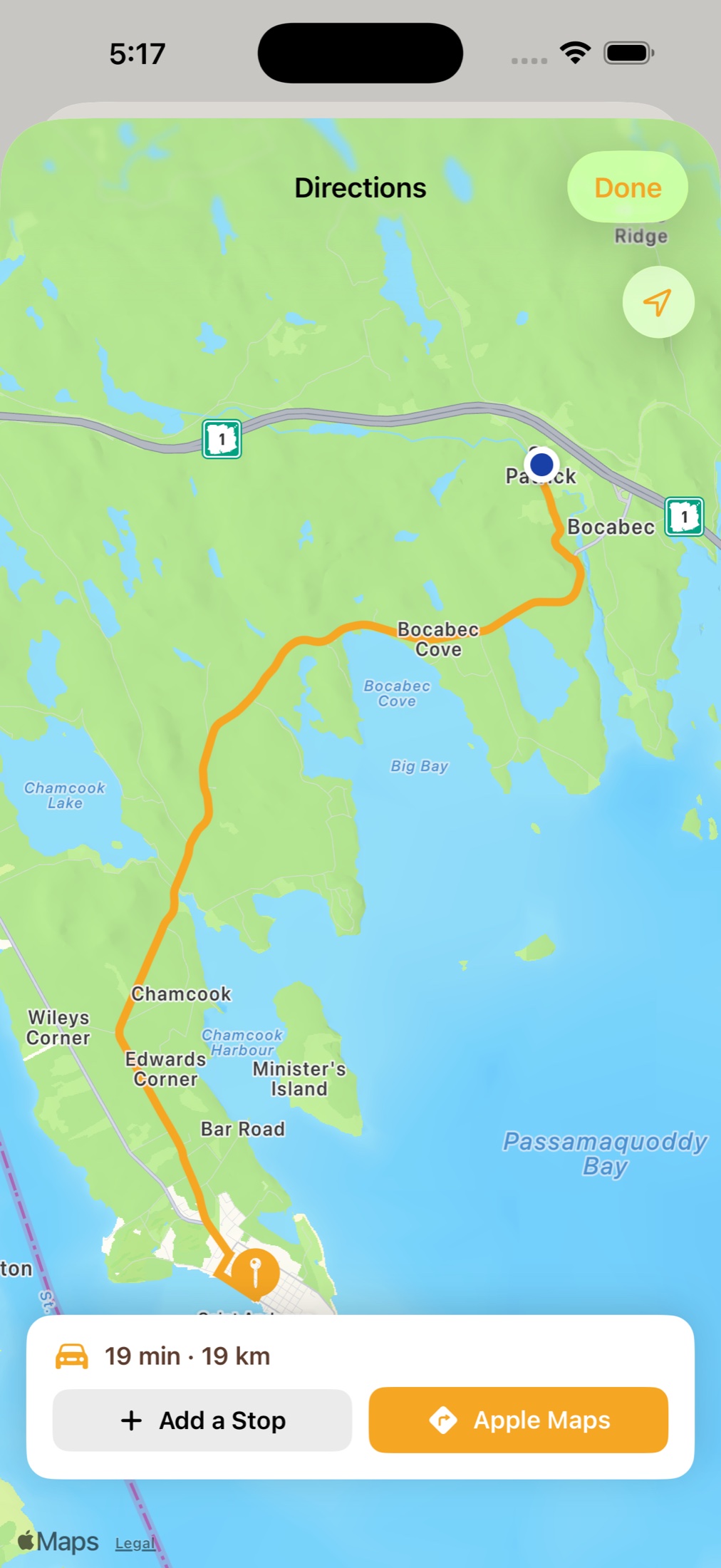
Canadian addresses in full, and a route that opens in the app — in kilometres, north of the border.
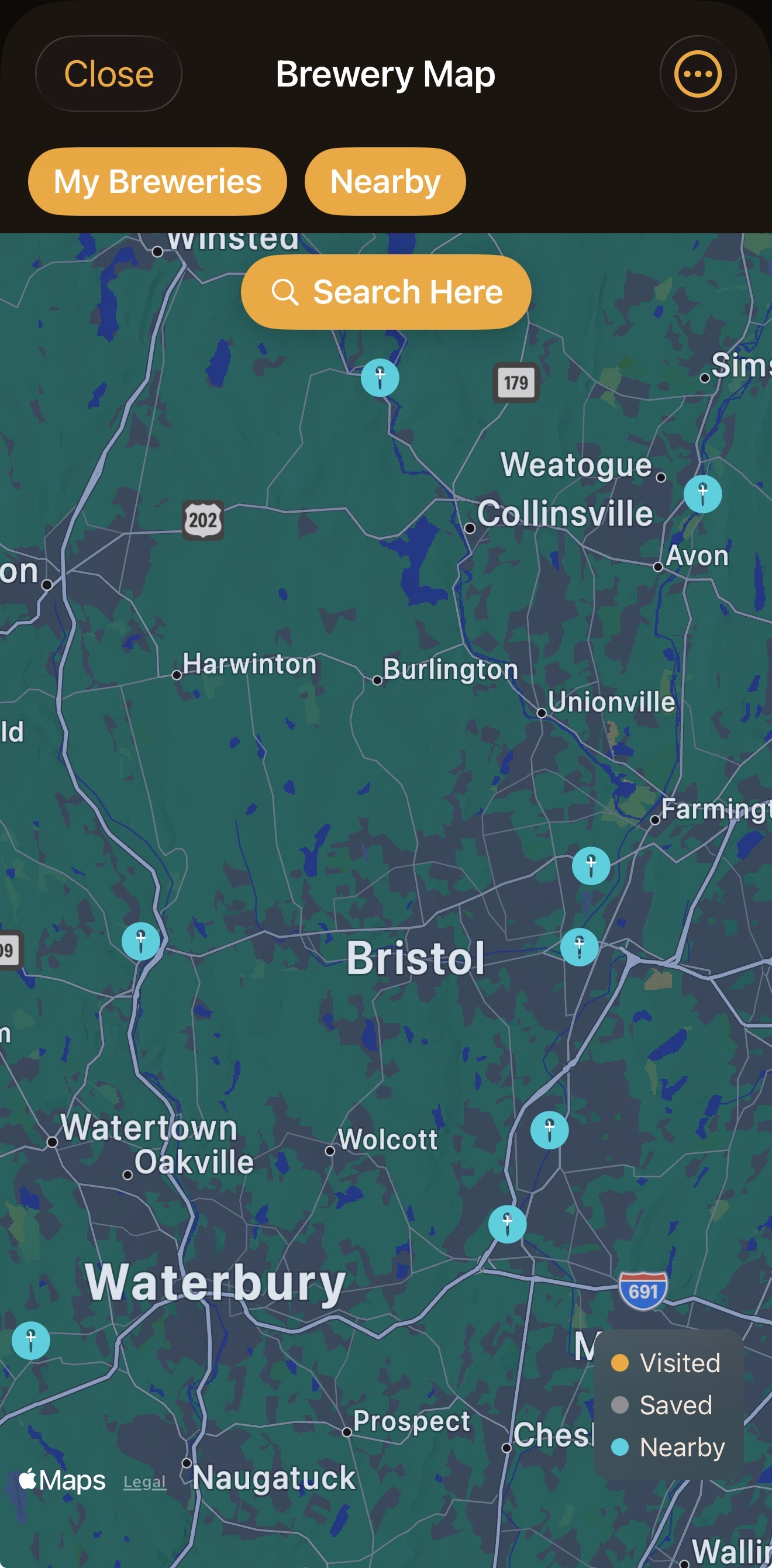
Your stamped breweries, your wishlist, and nearby discoveries all live on one color-coded map. Flip between your own places and what's around you, then tap any pin for hours, directions, and a one-tap "Add to Passport."
Pintly Passport has always known which breweries are near you. Now it can tell you without being asked — a widget on your Home Screen or Lock Screen showing the brewery you're closest to. One you've been meaning to visit, one worth going back to, or somewhere new you haven't saved yet.
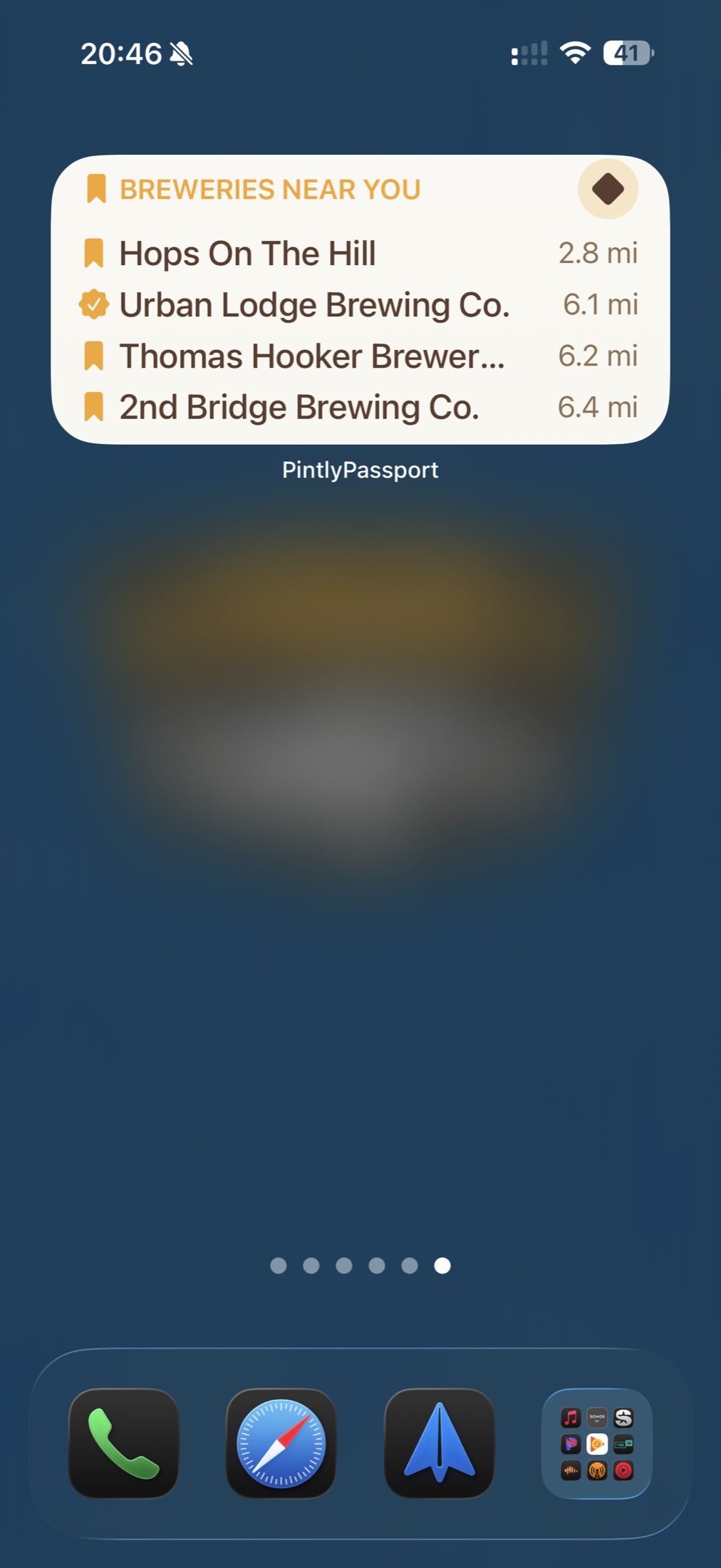
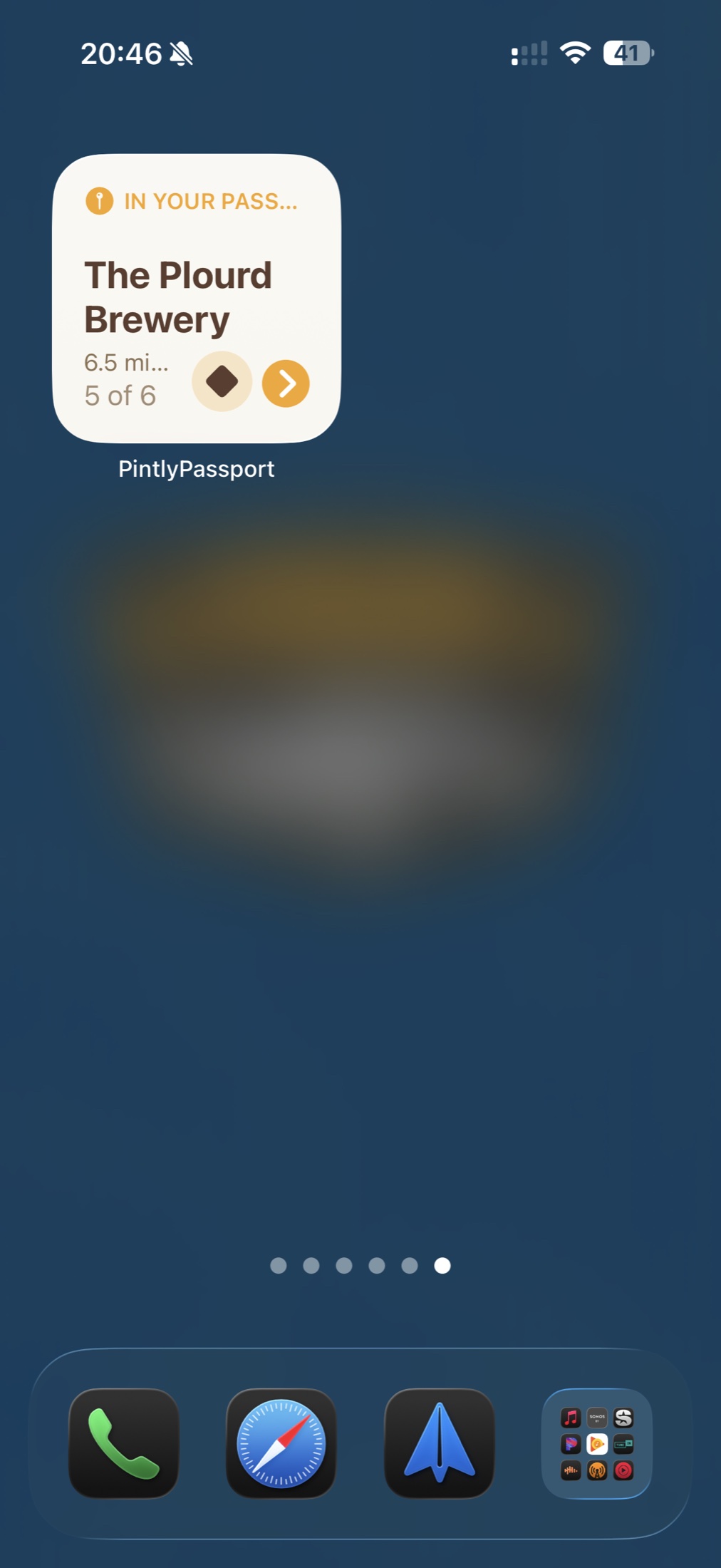
The medium size lists the nearest few; the small one steps through them a tap at a time.
Every visit you log can become a card: the brewery, the date, the beers you rated, and whatever you wrote about the night. Took more than one photo? You choose which one goes on it. Share it wherever you like — or just keep it.
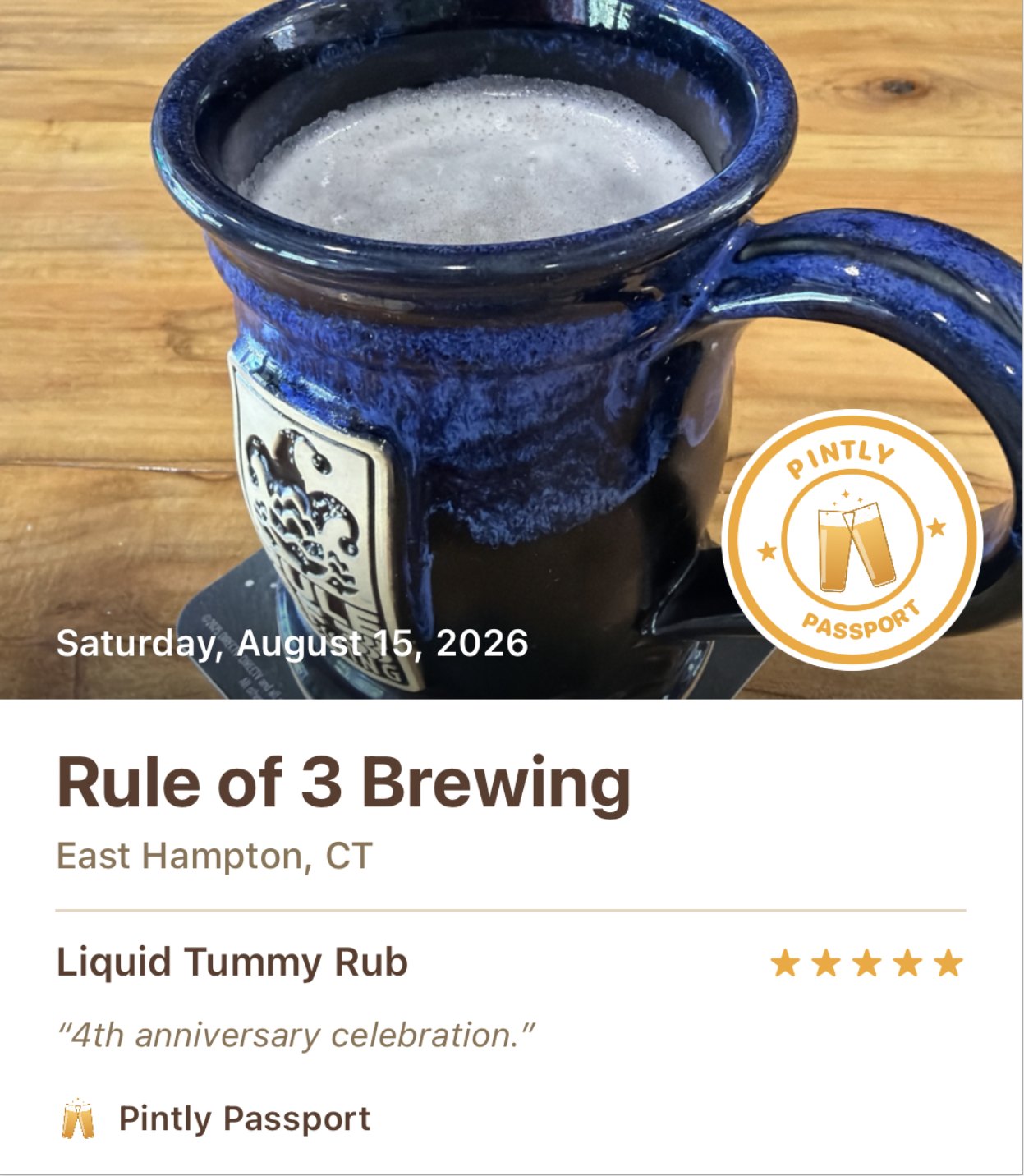
Offered right after you log a visit — and if you'd rather it didn't ask, there's a switch in Settings.
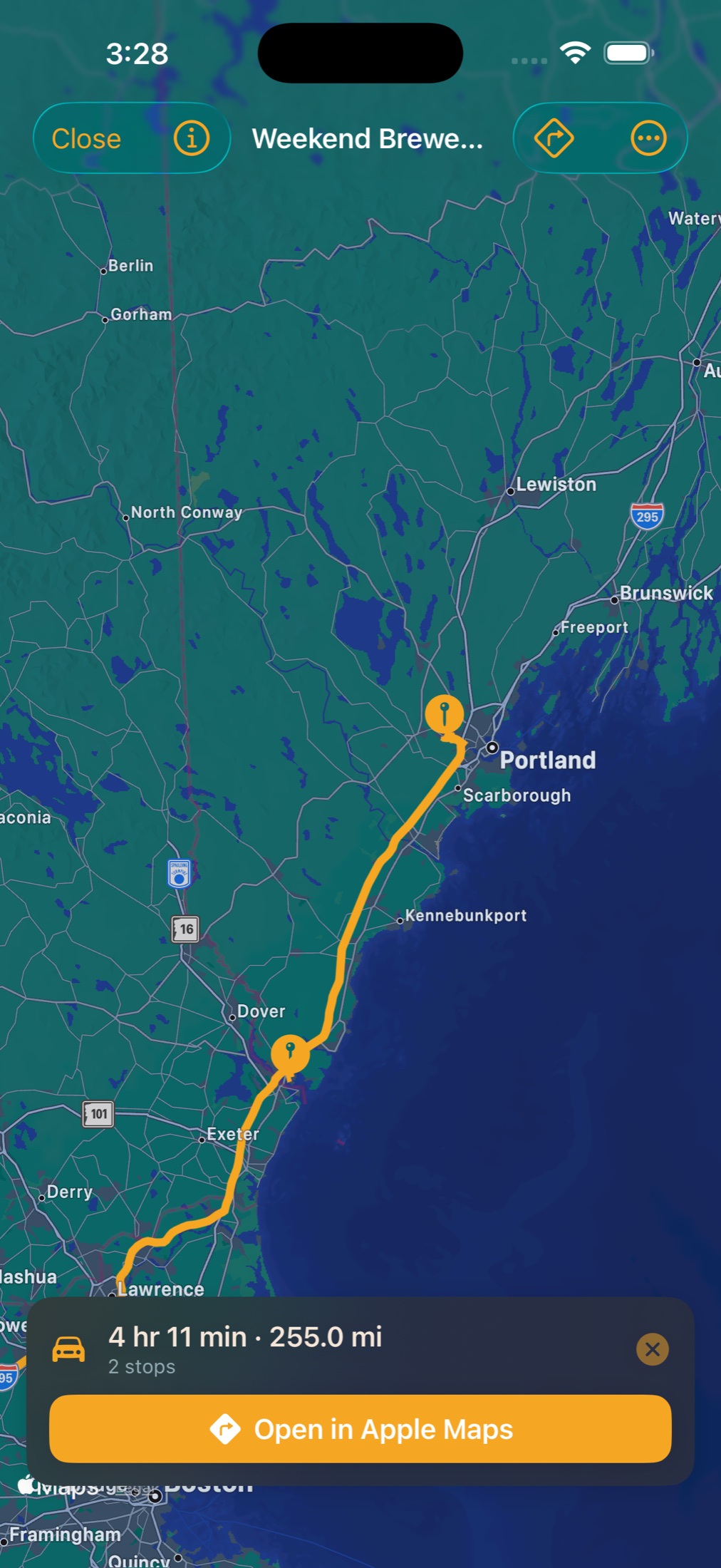
Group breweries into a list — a "Vermont Weekend," a "Coastal Maine Crawl" — and Pintly Passport turns it into a real route: the drive drawn across your stops, total time and distance, and turn-by-turn in Apple Maps when you're ready to roll.
The Log tab is the fastest way to capture a moment. Log a visit, log a beer, or add a new brewery — all from one central hub.
Search, filter by style, sort by rating. Every beer you've ever logged, organized.
Rate every beer with amber stars. Mark your favorites for quick filtering.
IPA, Stout, Lager, and more — with a free-text option for anything the list doesn't cover.
Add notes for every beer: tasting notes, who you were with, the vibe.
Capture visit photos right inside the app, or pull them in from your camera roll. Every visit gets to keep its memories.
Flip through every photo from a visit in a clean fullscreen viewer. Share or save any shot back to your camera roll with a tap.
One fast search across your breweries, beers, and visits, matching as you type — plus focused search inside each tab and inside Brewfest. Find that hazy IPA you loved last spring before you've finished typing it.
Your passport is yours. Export a beautifully formatted PDF keepsake or take your data with you as CSV — breweries, beers, visits, and your Brewfests all included — anytime.
Printable, keepsake-quality. A document worth tucking into a drawer or printing and framing.
Breweries, beers, or visits as separate files. Take your data with you — always.
Save, AirDrop, or send anywhere. Your passport goes where you go.
Small settings, the kind you set once and forget — so the app reads the way you want it to.
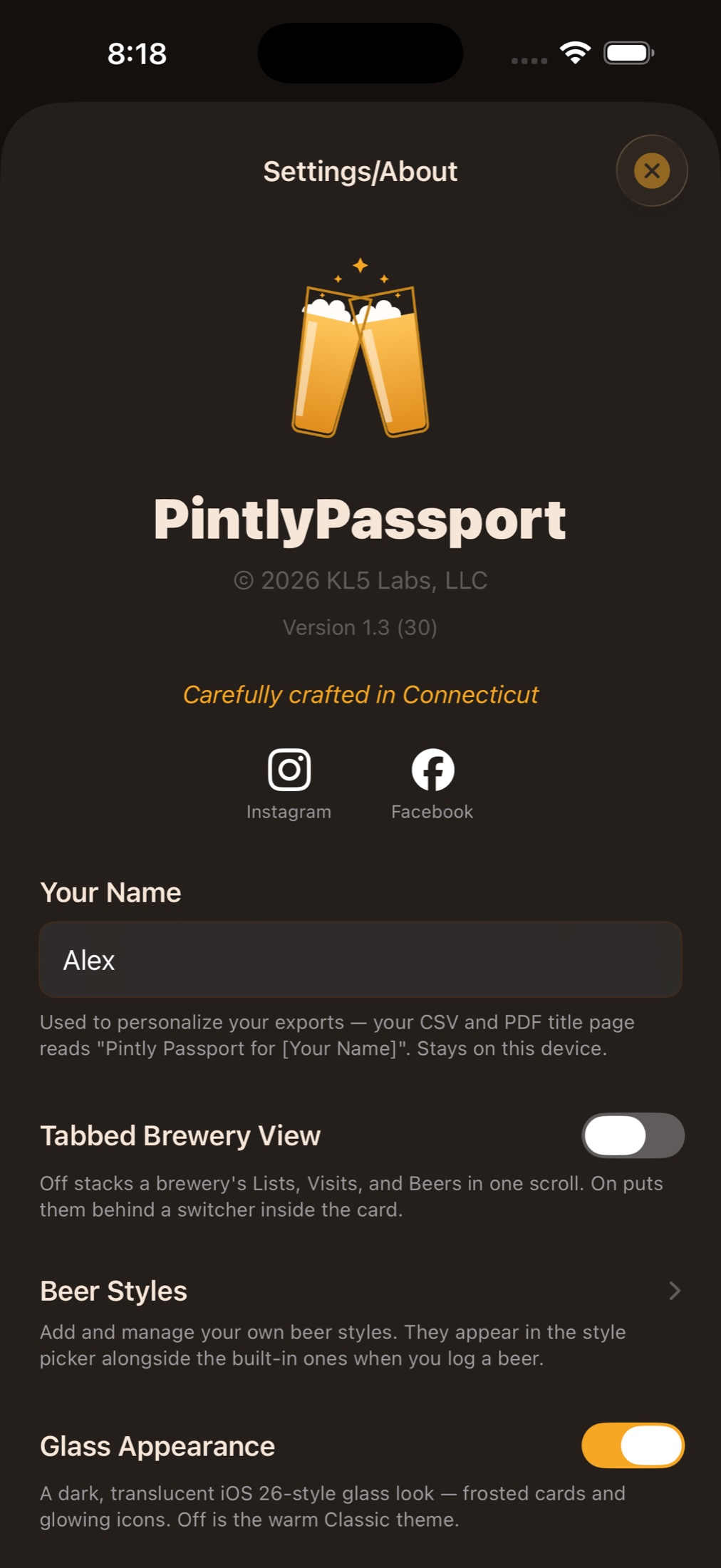
Everything stays on your iPhone. No account. No tracking. No ads. Just your journey.
* Optional iCloud sync — and any future account features — are on the roadmap, and they'll always be opt-in. Your on-device passport stays the default.
Every install comes with 7 days of full access — no purchase, no account. Nothing is limited while it runs, and nothing is taken away when it ends. After that, keep logging on the free tier, or unlock unlimited breweries, beers, maps, and export with Premium — or go further with Premium Plus, which adds unlimited festival logging and the Breweries Near You widget.
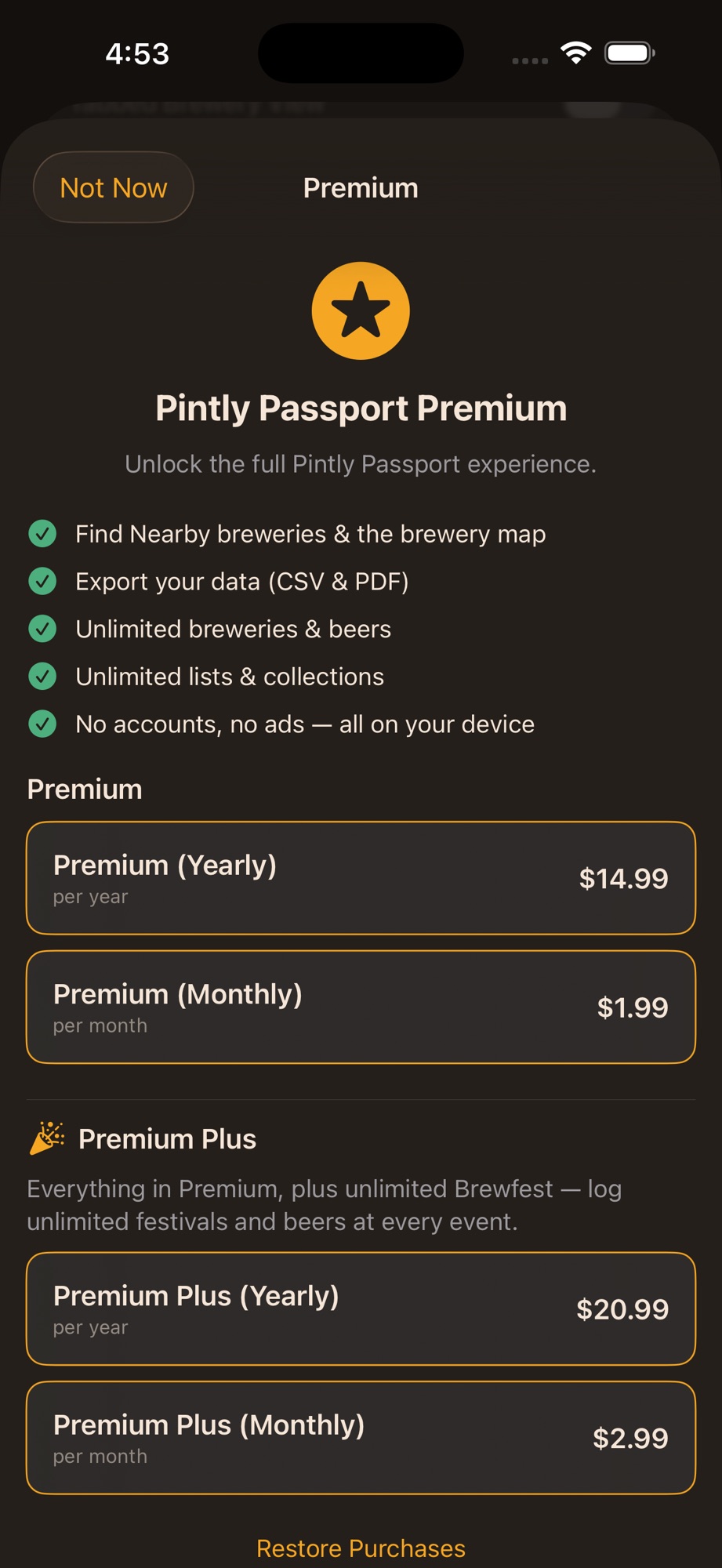
After your 7-day trial
Yours to keep, forever
The full experience
or $1.99 / month
Premium, plus Brewfest and the widget
or $2.99 / month
* Counted by the most you've had at one time, so deleting a brewery doesn't make room to add another — the app tells you before a delete costs you a slot. If your trial left you above five, it all stays put.
Prices are shown in USD and may vary by region. Subscriptions are billed to your Apple Account and renew automatically unless cancelled at least 24 hours before the end of the current period. Manage or cancel anytime in your Apple Account settings. Subscriptions are governed by Apple's Standard EULA.
Pintly Passport is in active development, with updates landing regularly. Here's what's further out on the horizon.
Your passport across all your Apple devices.
Passport stats at a glance, alongside the Breweries Near You widget you already have.
Exploring a passport-book direction for the icon — the clinking steins may yet hand the spotlight over.
Charts that show what you actually drink.
Browse by state, region, and more — find your next trip.
Free to download, with seven days of full access. After that, keep logging on the free tier — or go further with Premium. Either way, your passport stays on your iPhone.

No account. No ads. No tracking. Cheers.